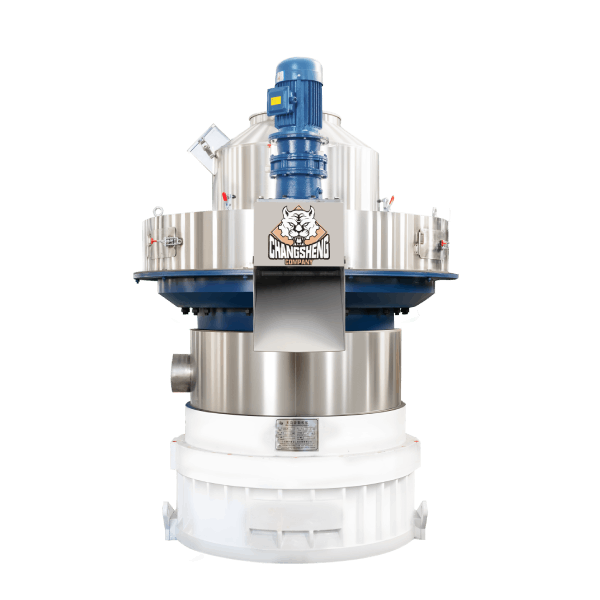
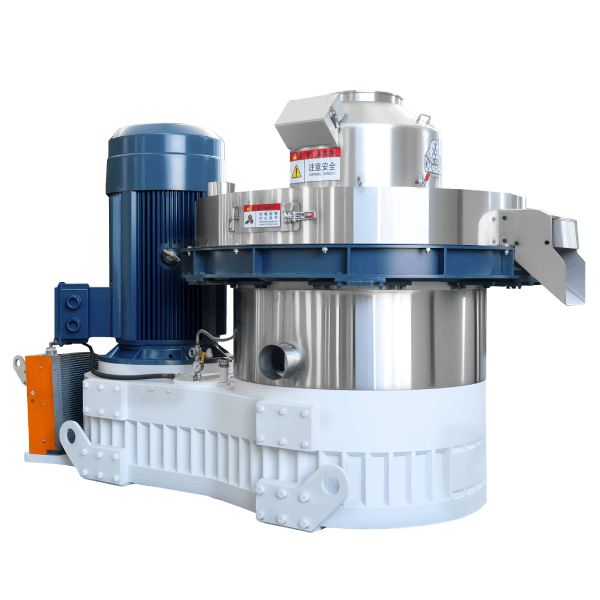
Pellet Mill Grinding Noise: Causes, Diagnosis and When to Stop
News 2026-10-24
A pellet mill grinding noise is the sound of two surfaces in contact that should not be in contact, or of material being crushed where it should be compressed. It is not the normal sound of material passing through the die. Normal operation produces a steady, loaded sound. Grinding is sharper, often metallic, and usually accompanied by a change in motor current, output, or pellet quality.
The first decision is whether the grinding is material grinding or metal grinding. Material grinding comes from oversized particles, foreign objects, or a dry die. Metal grinding comes from roller-to-die contact, bearing failure, or a loose component touching a rotating part. Material grinding can often be corrected without a long stop. Metal grinding usually requires a stop before the die or the rollers are damaged.
This article covers how to tell the two apart, which components produce a grinding noise, how material grinding differs from metal grinding in what it does to the die, what the checks are before stopping, when to stop rather than adjust, what damage to inspect after a stop, and what information to send a supplier if the source cannot be found on site.
Material Grinding or Metal Grinding
The two causes require different responses. The sound and the accompanying signs separate them.
| What you observe | Likely source | First check |
|---|---|---|
| Grinding follows material feed, changes with moisture or particle size | Material grinding | Material condition, screen condition, die hole condition |
| Grinding is steady and follows rotation speed | Metal grinding | Roller-to-die contact, bearing, loose component |
| Grinding with falling motor current | Dry die or starved die chamber | Feeder delivery, die temperature |
| Grinding with rising motor current | Overload, partial die blockage, or roller contact | Feed rate, die hole condition, roller clearance |
| Grinding with metallic particles in the pellets | Metal-to-metal contact | Roller surface, die surface, foreign object |
| Grinding with a temperature rise at a bearing | Bearing failure | Bearing temperature, vibration |
Material grinding changes when the material changes. Metal grinding does not. A grinding noise that stops when the feed is reduced is usually material-related. A grinding noise that continues with the feed stopped is usually metal-related and should be treated as a fault.
The consequence is also different. Material grinding wears the die gradually and raises the load. Metal grinding removes die surface material quickly, changes the hole geometry, and can make the die unusable within a short operating period. This difference is the reason metal grinding is treated as a stop condition and material grinding is treated as a process correction.
Material Grinding
Why it happens: Oversized particles that cannot enter the die are crushed between the roller and the die surface. A worn or broken screen allows oversized material into the die chamber. A dry die, with no material cushion, produces a scraping grinding sound as the rollers run against the die surface. Foreign material such as sand or grit produces a grinding sound and accelerates die wear.
What to check: Particle size at the pellet mill inlet. Screen condition in the hammer mill. Moisture at the pellet mill inlet. Die hole condition. Presence of grit or sand in the material.
What to do: Correct the particle size before adjusting the machine. Replace a worn or broken screen. Correct the moisture. If the material contains grit, identify the source and remove it before it reaches the die. Material grinding that continues after these corrections is not a material problem and should be treated as a metal problem.
Metal Grinding: Roller-to-Die Contact
Why it happens: Roller clearance that is too small, a roller that is not rotating freely, or a warped or damaged die causes the roller to contact the die surface directly. The grinding is metallic, steady, and follows rotation speed. It is often accompanied by a rise in motor current and by metal particles in the pellets.
What to check: Roller clearance against the machine manual. Roller free rotation with the machine stopped and locked out. Roller surface condition. Die surface condition for grooves, cracks, or embedded metal.
What to do: Stop the machine. Correct the roller clearance to the manual specification. Replace a roller that does not rotate freely. Replace a die that is warped or damaged. Do not continue running with roller-to-die contact, because the die surface is damaged quickly and the damage is not repairable by adjustment.
Metal Grinding: Bearing Failure
Why it happens: A bearing whose lubricant has broken down, or whose raceway has started to fail, produces a grinding noise that is often accompanied by vibration and a temperature rise at the bearing housing. The grinding is steady and follows rotation speed, but it is localised at the bearing rather than at the die chamber.
What to check: Bearing temperature against the machine manual. Vibration at the bearing housing. Noise localised with a stethoscope or listening rod.
What to do: Stop the machine and inspect. Replace the bearing according to the machine manual. Do not continue running with a bearing grinding noise, because the failure that follows usually damages the shaft and the surrounding components.
Metal Grinding: Loose Component
Why it happens: A loose guard, a loose bolt, or a component that has come into contact with a rotating part produces a grinding noise that may be intermittent and may change when the machine is touched. The grinding is often accompanied by a rattle or a vibration.
What to check: Guard bolts and fasteners. Anchor bolts. Any component near a rotating part.
What to do: Tighten or replace the loose component. Do not continue running with a loose component near a rotating part, because the contact can damage the rotating part.
Foreign Object in the Die Chamber
Why it happens: A stone, a piece of metal, or a hard contaminant that has passed the magnet and the screen enters the die chamber and is crushed between the roller and the die. The grinding is irregular and follows the material feed, and it may be accompanied by a sudden change in motor current.
What to check: Die chamber contents with the machine stopped and locked out. The magnetic separator and the screen upstream, because a failure there allows the object to reach the die chamber.
What to do: Remove the foreign object before restart. Inspect the die and rollers for damage. Check the magnetic separator and the screen for damage or bypass. If the separator or screen is not working, correct it before returning to production.
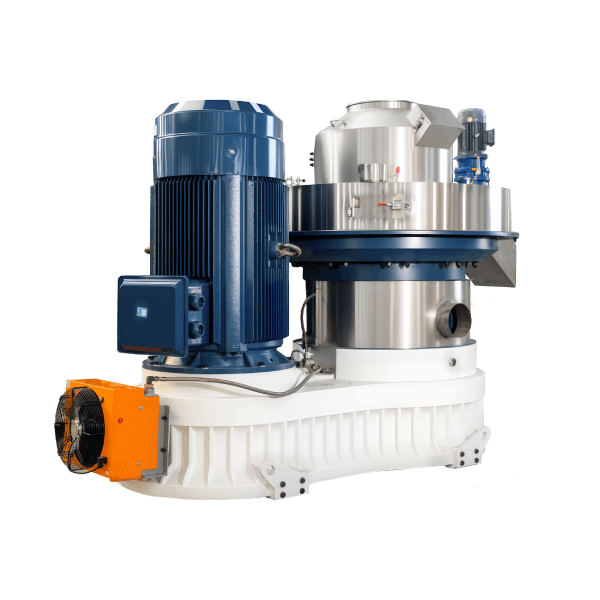
Checks Before Stopping
These checks can be made with the machine running and narrow the cause before a stop decision.
| Check | What to look for | What it tells you |
|---|---|---|
| Grinding location | Die chamber, bearing housing, or loose component | Narrows the source |
| Grinding behaviour with feed | Changes with feed, or continues with feed stopped | Separates material grinding from metal grinding |
| Motor current | Above, within, or below the manual range | Separates a dry die from an overload or contact |
| Die temperature | Rising | Points to a dry die or roller contact |
| Bearing temperature | Rising | Points to bearing failure |
| Pellet appearance | Metal particles, discoloration, or excessive fines | Confirms metal contact or material problem |
If the grinding continues with the feed stopped, stop the machine. If the grinding stops when the feed is reduced, correct the material condition first and observe.
When to Stop Rather Than Adjust
Stop the machine when any of the following applies.
| Condition | Action |
|---|---|
| Grinding that continues with the feed stopped | Stop immediately. Inspect die chamber, rollers, and bearings. |
| Grinding with metal particles in the pellets | Stop immediately. Inspect die and rollers. |
| Grinding with a temperature rise at a bearing | Stop immediately. Inspect the bearing. |
| Grinding with motor current above the manual range | Reduce feed rate first. If grinding and current do not fall, stop. |
| Grinding after a foreign object entered the die chamber | Stop immediately. Inspect die and rollers. |
| Grinding from a loose guard or component | Stop and secure the component before restart. |
Cooldown and Inspection Safety
| Check area | Safety point before inspection |
|---|---|
| Die chamber | Allow the die chamber to cool before opening; lock out power |
| Roller assembly | Confirm the rotor is stationary and locked out before checking roller rotation by hand |
| Bearings | Allow housings to cool before touching; use a temperature reading first |
| Guards and fasteners | Confirm the machine is locked out before inspection |
| Motor | Lock out power before inspection |
Damage Inspection After a Grinding Event
Inspect the following after a stop and cooldown.
| Component | What to check |
|---|---|
| Die surface | Grooves, cracks, discoloration, or embedded metal |
| Die hole entrance | Deformation, blockage, or damage |
| Rollers | Flat spots, grooves, or a roller that does not rotate freely |
| Roller bearings | Free rotation, noise, lubricant condition |
| Main shaft bearing | Temperature after cooldown, noise, lubricant condition |
| Magnets and screens | Condition, cleaning, bypass |
| Guards and fasteners | Security and condition |
| Pellet quality | Metal particles, discoloration, or excessive fines |
If damage is present in the die or rollers, follow the manufacturer procedure. If the hole geometry has changed, treat the die as damaged and replace it.
Restart After a Grinding Event
Confirm the following before returning to normal feed rate.
| Acceptance item | What to confirm |
|---|---|
| Grinding | No grinding at reduced or normal feed rate |
| Motor current | Stable and within the manual range |
| Die and bearing temperature | Stable and within the manual range |
| Die and roller condition | No damage, no embedded metal |
| Magnets and screens | Clean and functioning |
| Pellet quality | Consistent with the normal production baseline |
If the grinding returns at reduced feed rate, stop and check the die, rollers, and bearings before increasing feed.
Frequently Asked Questions
What is the difference between material grinding and metal grinding?
Material grinding changes with the material condition and stops when the feed is reduced. Metal grinding is steady, follows rotation speed, and continues when the feed is stopped. The two require different actions, and metal grinding damages the die surface faster.
Can a dry die cause a grinding noise?
Yes. A dry die produces a scraping grinding sound as the rollers run against the die surface without a material cushion. The check is the feeder delivery and the die temperature.
Why are there metal particles in the pellets?
Metal particles in the pellets indicate metal-to-metal contact, usually roller-to-die contact or a foreign object in the die chamber. The machine should be stopped and inspected before production continues.
How do I tell a roller contact from a bearing grinding?
A roller contact grinding is loudest at the die chamber and is accompanied by metal particles in the pellets. A bearing grinding is loudest at the bearing housing and is accompanied by a temperature rise at that housing. A stethoscope or vibration measurement confirms the source.
When should I stop the machine instead of adjusting the feed?
Stop when the grinding continues with the feed stopped, when metal particles appear in the pellets, when a bearing temperature rises, or when a foreign object has entered the die chamber.
Get Diagnostic Support for Your Pellet Mill
Send your machine model, the grinding location, the conditions under which it appears, the motor current and bearing temperatures, the die and roller condition, and the material condition. A diagnostic review can be prepared against your machine and your operating conditions rather than against a general checklist.
Maintenance parameters, roller clearance values, temperature limits, and acceptance criteria in this article must be confirmed against the machine manual and the die, roller, and bearing supplier documentation. This article does not provide universal values for these items.