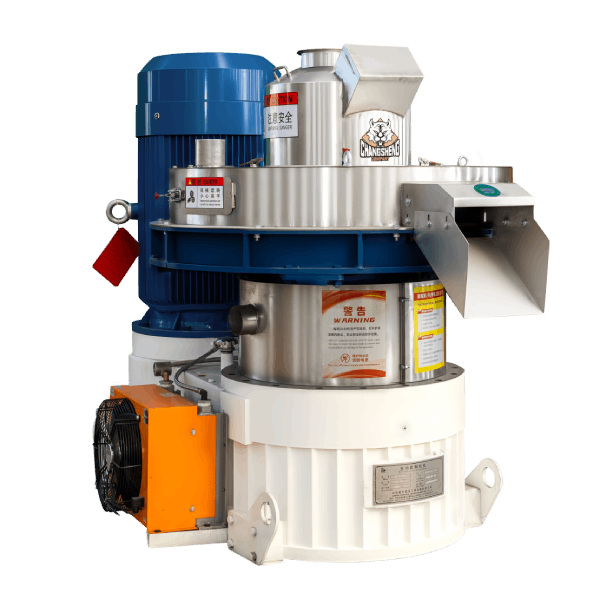
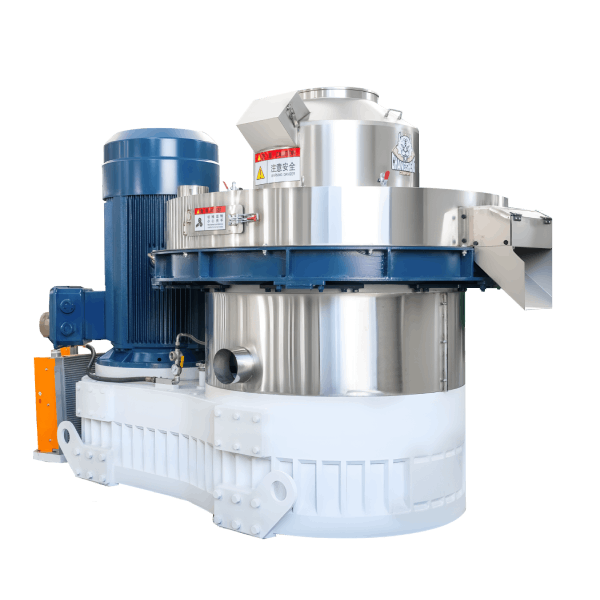
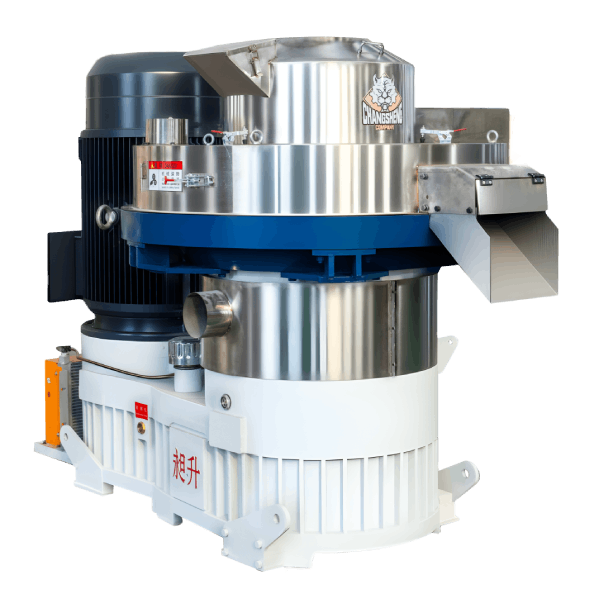
Pellet Machine with PLC Touch Screen Controller: Complete Buyer’s Guide
News 2026-07-15
Page SEO Summary: This technical procurement guide helps engineers and procurement professionals evaluate pellet machines with PLC touch screen controllers—covering system architecture, key specifications, operational benefits, and the return on investment from modern automation.
The days of standing beside a pellet mill with a manual control panel—adjusting a potentiometer here, reading an analog gauge there, and making decisions based on experience and intuition—are rapidly disappearing.
Modern pellet production demands precision, consistency, and data-driven decision making. A pellet machine with PLC touch screen controller represents a fundamental shift in how operators interact with the equipment. It transforms the pellet mill from a manually operated machine into an intelligent production asset capable of monitoring its own performance, diagnosing problems, and providing operators with actionable information.
For procurement professionals and engineers evaluating new pellet mills, the control system is as important as the mechanical specifications. This guide provides a comprehensive framework for understanding, evaluating, and specifying pellet machines with PLC touch screen controllers—from hardware specifications to operational benefits and investment justification.
Why PLC Touch Screen Control Has Become the Industry Standard
Industrial automation has advanced significantly over the past decade, and pellet mill controls have evolved accordingly. The transition from relay-based controls and analog indicators to PLC-based systems with touch screen interfaces is driven by real operational needs.
What a PLC Touch Screen System Delivers
| Capability | How It Benefits Operations |
|---|---|
| Process control | Precise, repeatable parameter settings for consistent production |
| Real-time monitoring | Immediate visibility into machine performance and process conditions |
| Fault diagnostics | Rapid identification of issues with clear error messages |
| Data logging | Production records for quality tracking and maintenance planning |
| Recipe management | Quick changeover between products with stored parameters |
| Remote access | Monitoring and support from off-site locations |
| Operator guidance | On-screen instructions and process flow visualization |
The Evolution: Manual Controls to PLC Touch Screen
| Era | Control Type | Characteristics |
|---|---|---|
| Pre-2000 | Relay logic + analog gauges | Limited control; no data logging; hard to diagnose |
| 2000-2010 | Basic PLC + pushbuttons | Reliable control; limited operator feedback |
| 2010-2018 | PLC + small text display | Programmable; basic data display; limited graphics |
| 2018-Present | PLC + color touch screen | Full graphics; intuitive operation; data integration |
Control System Architecture: Understanding the Components
A pellet machine with PLC touch screen controller consists of three core components working together.
Component 1: The PLC (Programmable Logic Controller)
The PLC is the brain of the control system. It executes the control program, processes inputs from sensors, and sends outputs to actuators.
| PLC Specification | What It Means | Why It Matters |
|---|---|---|
| Processor speed | Execution speed of control cycles | Faster response for precise control |
| Memory capacity | Storage for program and data | Determines data logging capacity |
| I/O points | Number of input/output connections | Defines how many sensors and actuators can be connected |
| Communication protocols | Ethernet/IP, Modbus, Profibus, etc. | Determines integration with plant systems |
| Processing architecture | Fixed vs. modular design | Upgradeability and expansion |
Procurement Guidance: A modular PLC design with sufficient spare I/O capacity (20–30% spare points) is recommended. This allows for future expansion or additional sensor integration without replacing the controller.
Component 2: The HMI (Human-Machine Interface) Touch Screen
The HMI is the operator’s window into the control system. The touch screen provides visual feedback and control input.
| HMI Specification | Typical Range | Why It Matters |
|---|---|---|
| Screen size | 7″ to 15″ diagonal | Larger screens show more information at once |
| Resolution | 800×480 to 1920×1080 | Higher resolution enables clearer graphics |
| Touch technology | Resistive vs. Capacitive | Capacitive is more responsive; resistive works with gloves |
| Brightness | 300–1000 nits | Higher brightness visible in daylight |
| Operating temperature | 0°C to 50°C typical | Must tolerate ambient conditions |
Procurement Guidance: For industrial pellet mill applications, a 10″ to 12″ color touch screen is the recommended minimum. This provides sufficient screen area to display process overviews, trend graphs, and control interfaces without cluttered layouts.
Component 3: The Field Instrumentation
Sensors and actuators connect the PLC to the physical process.
| Type | Examples | Purpose |
|---|---|---|
| Temperature sensors | RTD, thermocouple | Monitor conditioning and motor temperatures |
| Pressure sensors | Pressure transmitters | Monitor steam and lubrication pressure |
| Speed sensors | Proximity sensors, encoders | Monitor motor speed and shaft rotation |
| Level sensors | Capacitive, ultrasonic | Monitor bin material levels |
| Current sensors | CTs, current transducers | Monitor motor load |
| Actuators | Control valves, motor drives | Control process parameters |
Core Operating Functions: What the PLC Touch Screen Controls
A pellet machine with PLC touch screen controller provides comprehensive control over all operational parameters.
Critical Control Parameters
| Parameter | Control Range | Function |
|---|---|---|
| Feeder speed | 0–100% variable | Controls material feed rate into conditioner |
| Conditioner speed | 0–100% variable | Controls retention time for proper conditioning |
| Steam flow | 0–100% variable | Controls moisture and temperature addition |
| Pellet mill motor | Start/Stop, speed monitoring | Main drive control |
| Cooler bed speed | Variable | Controls pellet retention time in cooler |
| Die temperature | Monitoring only | Indicates pelletizing condition |
Operating Modes
| Mode | Description | Application |
|---|---|---|
| Manual | Operator controls each parameter individually | Maintenance and troubleshooting |
| Semi-automatic | PLC sequences starts/stops; operators set parameters | Standard production |
| Fully automatic | PLC adjusts parameters based on feedback | Consistent production with minimal operator intervention |
HMI Screen Structure: What to Look For
The touch screen interface design significantly impacts operator effectiveness. When evaluating a pellet machine with PLC touch screen controller, the following screens should be present.
Main Overview Screen
- System status at a glance
- Key process parameters (feed rate, temperature, motor load)
- Production data (running hours, current capacity, total produced)
- Visual representation of process flow
- Alarm indicator
Parameter Setting Screen
- All adjustable parameters accessible from one screen
- Clear labeling and units
- Password protection for critical parameters
- Parameter limits to prevent dangerous settings
Trend and Data Screen
- Real-time trend graphs for key parameters
- Historical trend display
- Production reporting (shift, day, week, month)
- Export capability (USB or network)
Alarm and Diagnostic Screen
- Active alarms with clear descriptions
- Alarm history with timestamps
- Diagnostic codes and troubleshooting guidance
- Acknowledgment and reset functions
Recipe Management Screen
- Store and recall complete parameter sets
- Named recipes for different products
- Recipe approval workflow (optional)
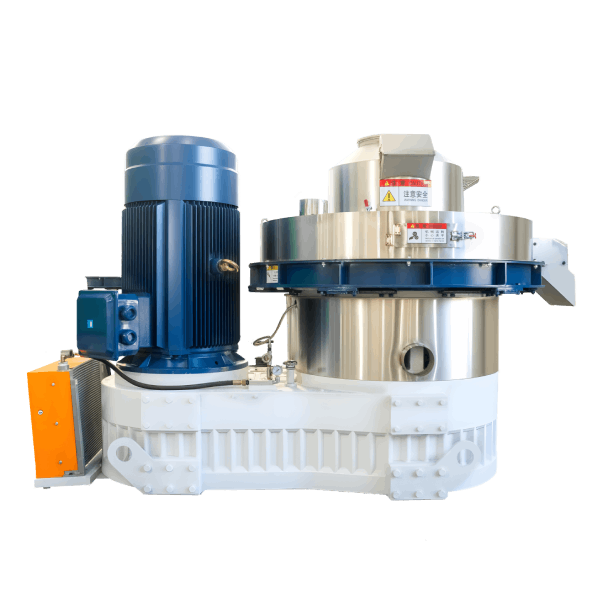
System Integration: Connecting to the Plant
Modern manufacturing requires equipment to communicate beyond its own control panel. A pellet machine with PLC touch screen controller should provide integration capabilities.
Communication Protocols
| Protocol | Common Application | Advantages |
|---|---|---|
| Modbus TCP/IP | General industrial communication | Widely supported; Ethernet-based |
| Modbus RTU | Serial communication | Simple; reliable for shorter distances |
| Ethernet/IP | Common in North American plants | Native to Rockwell/Allen-Bradley systems |
| Profibus | Common in European plants | Native to Siemens systems |
| Profinet | Modern industrial Ethernet | High speed; integrated with Siemens |
| OPC UA | Platform-independent communication | Modern standard; data interoperability |
Plant System Interfaces
| Plant System | Interface Purpose | Typical Data Exchanged |
|---|---|---|
| SCADA/DCS | Plant-wide monitoring and control | Production rates, alarms, equipment status |
| ERP/MES | Production reporting and scheduling | Shift production totals, downtime records |
| Maintenance system | Predictive maintenance planning | Running hours, alarm history, maintenance alerts |
Procurement Recommendation: Confirm the communication protocol compatibility with your plant’s existing systems. The supplier should provide the protocol specifications and integration support.
Operator and Maintenance Benefits
The operational advantages of a pellet machine with PLC touch screen controller extend beyond basic control.
For Operators
| Benefit | Description |
|---|---|
| Simplified operation | Clear interface reduces training time |
| Consistent results | Stored parameters ensure repeatable production |
| Quick changeover | Recipe recall minimizes downtime between products |
| Error prevention | Parameter limits prevent out-of-range settings |
| Problem visibility | Clear alarms guide troubleshooting |
For Maintenance Personnel
| Benefit | Description |
|---|---|
| Faster diagnostics | Alarm history and diagnostic codes pinpoint issues |
| Predictive maintenance | Running hours and alarm patterns identify wear components |
| Maintenance records | Built-in logging supports maintenance planning |
| Safe access | Remote viewing reduces exposure to hazardous areas |
Return on Investment Analysis
The investment in a PLC touch screen control system is typically recovered through operational savings.
Cost Benefit Breakdown
| Benefit Area | Annual Savings Estimate | Justification |
|---|---|---|
| Reduced operator labor | $3,000–$8,000 | Less time for manual adjustments |
| Reduced product waste | $2,000–$10,000 | Consistent operation reduces off-spec product |
| Faster product changeover | $1,000–$5,000 | Recipe recall reduces downtime |
| Reduced maintenance downtime | $2,000–$8,000 | Faster diagnostics and predictive maintenance |
| Quality consistency | $1,000–$5,000 | Reduced customer complaints |
| Total Annual Savings | $9,000–$36,000 |
Investment Cost: The premium for a PLC touch screen control system over a basic control panel typically ranges from $3,000 to $8,000 for the control system itself, plus additional instrumentation costs depending on the level of automation.
Payback Period: Typically 3 to 12 months, depending on the operating schedule and the manual control baseline being replaced.
Common Control Features: A Comparison
| Feature | Basic System (Pushbutton) | PLC + Text Display | PLC + Touch Screen (Full) |
|---|---|---|---|
| Motor control | Start/Stop via pushbuttons | Start/Stop with display | Touch start/stop + interlock logic |
| Parameter setting | Analog dials/trimpots | Digital entry on display | Touch input with limits |
| Parameter display | Analog gauges | Digital readout | Digital + trends |
| Alarm indication | Indicator lights | Text description | Color-coded with troubleshooting |
| Data logging | None | Limited | Comprehensive with export |
| Recipe storage | None | None | Multiple named recipes |
| Diagnostic capability | Minimal | Basic | Detailed with guidance |
| Integration capability | None | Limited | Multiple protocols |
Procurement Checklist: Pellet Machine with PLC Touch Screen Controller
Use the following checklist when evaluating proposals.
PLC Specifications
- PLC brand: Is the brand reputable with local support available?
- Processor: Does it have adequate speed for all intended control functions?
- Memory: Is memory sufficient for program and data logging requirements?
- I/O capacity: Are there sufficient spare I/O points for future expansion?
- I/O types: Does it support required sensor types (analog, digital, thermocouple, etc.)?
- Communication protocols: Does it support integration with plant systems?
HMI Specifications
- Screen size: Is it adequate for viewing all required information?
- Screen resolution: Is resolution sufficient for clear graphics?
- Touch technology: Is it suitable for the operator environment?
- Brightness: Is it readable in the installation location?
- Mounting: Is the panel designed for the installation environment?
Control Functionality
- Control modes: Are manual, semi-auto, and auto modes provided?
- Recipe management: Can recipes be stored, recalled, and modified?
- Trending: Are trends available for key parameters?
- Alarms: Are alarms clear with troubleshooting guidance?
- Data export: Can production data be exported?
- Password protection: Are critical parameters protected?
Integration and Support
- Communication integration: Are plant interfaces specified and supported?
- Documentation: Are control system manuals and electrical diagrams provided?
- Training: Is operator and maintenance training included?
- Backup: Is the program backup provided for disaster recovery?
Frequently Asked Questions
1. Is a PLC touch screen controller worth the extra cost?
For operations running multiple shifts or producing multiple products, yes. The investment is typically recovered within 6 to 12 months through labor savings, reduced waste, and faster changeovers.
2. Can I retrofit a PLC touch screen controller to an existing pellet mill?
Retrofitting is possible but requires careful engineering. The existing sensors and actuators need to be compatible, and the control panel must be reconfigured. In many cases, retrofitting a complete control system is more cost-effective than replacing the entire machine.
3. What brand of PLC should I specify?
Common industrial PLC brands include Siemens (S7 series), Allen-Bradley (CompactLogix, ControlLogix), Schneider Electric (Modicon), Mitsubishi, and Omron. The best choice depends on what is supported locally in your region and compatibility with existing plant controls.
4. Can operators learn to use the touch screen controller quickly?
Yes. Well-designed touch screen interfaces are intuitive and require less training than traditional control panels. Most operators become proficient within a few days of training and practice.
5. What happens if the touch screen fails?
The PLC itself continues to operate with the last settings. The machine can continue running in manual mode using physical controls if available. A replacement screen can usually be installed and operational within hours.
6. Can the control system record production data?
Yes. Modern systems record production totals, operating hours, downtime events, and alarm history. Data can typically be exported via USB or network connection for analysis and reporting.
7. Does the touch screen work with gloved hands?
Resistive touch screens work with gloved hands. Capacitive touch screens require conductive gloves or are less responsive with gloves. Specify the touch technology based on your operator environment.
8. Is remote access possible with a pellet machine PLC controller?
Yes. Many modern PLCs support remote access via Ethernet, VPN, or cloud connectivity. Remote access enables off-site engineering support, software updates, and performance monitoring.
About the Author
Zhang Wei – Senior International Sales Engineer, Shandong Changsheng Machinery Co., Ltd.
Zhang Wei has over 12 years of experience in the biomass and feed pellet mill industry, with a background in mechanical engineering and international project execution. He has managed pellet mill supply projects for clients across Southeast Asia, the Middle East, Africa, Europe, and Latin America, with extensive experience in control system specification and automation integration.
With hands-on experience in both the manufacturing workshop and client-side operations, Zhang brings practical insights into successful equipment procurement—from the factory floor to the customer’s production site.