Pellet Mill Roller Slipping: Causes, Diagnosis and Fixes
News 2026-11-14
A slipping roller means the roller is not turning at the speed the die is driving it, or is turning intermittently, so material is not being drawn into the gap and pressed through the die. Output drops, main motor load becomes unstable, and the roller and die wear unevenly.
The cause is usually mechanical or material. Mechanical slip comes from the roller mounting, the bearing or the shaft. Material slip comes from the material being too wet, too fine, too oily or too dry for the roller surface to grip. The two look different on the machine and have different fixes.
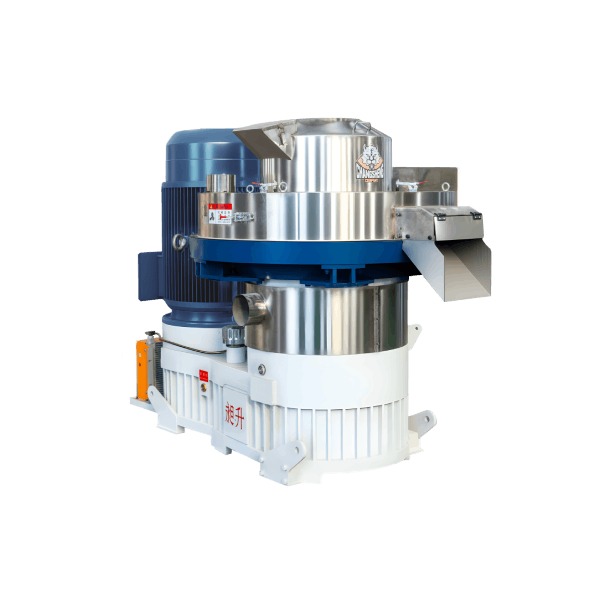
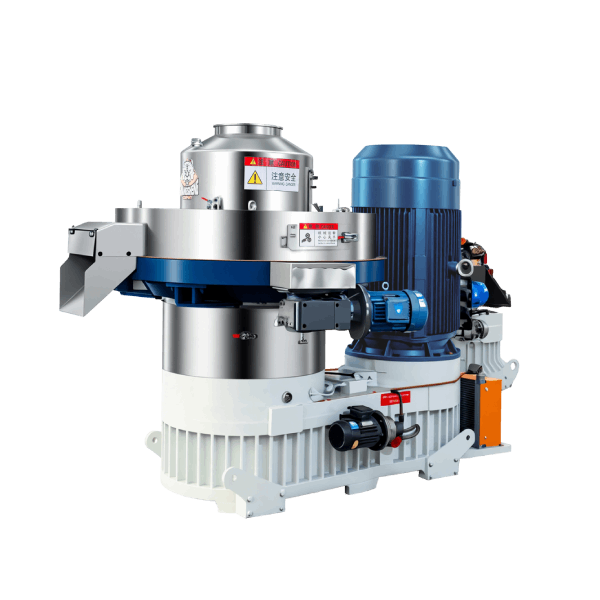
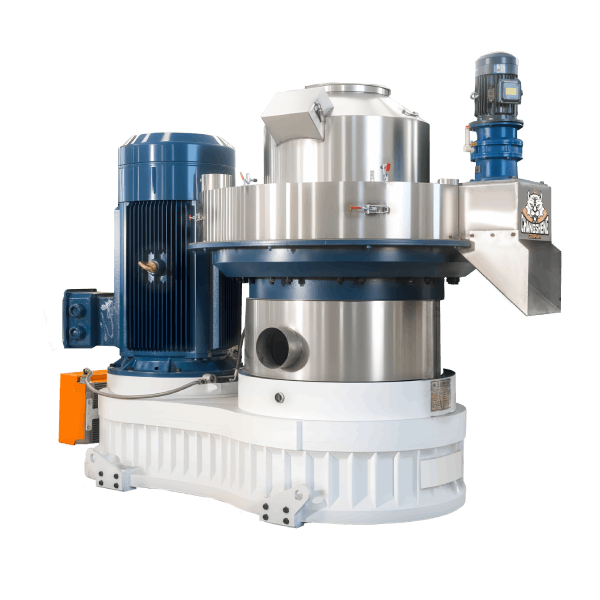
Which one you have depends on the machine type. On a ring die mill the die is driven and the rollers are dragged round by the material, so a roller that stops turning is slipping against the die. On a flat die mill the arrangement is often the reverse, with the rollers driven and the die stationary or separately driven, so the slip behaviour and the parts that wear are different. The checks below apply to both, but the machine layout should be confirmed before acting.
This article covers how to tell slip from wear and from a feed problem, the mechanical and material causes, the four situations where slip most often appears, how the roller surface and the speed relationship affect grip, how to correct slip without damaging the roller or die, when slip signals a wrong specification, and what to confirm before buying.
What Roller Slip Looks Like
Roller slip is easy to confuse with other problems. These signals point to slip specifically.
- The roller turns slower than the die, or stops turning while the die continues.
- Main motor load is unstable, rising and falling rather than sitting at a steady value for the material.
- Output drops while feed rate is unchanged, and material backs up in front of the roller.
- The roller surface shows a polished or flat-spotted band, because it is rubbing rather than gripping.
- The die wears unevenly in the area the slipping roller covers.
If the roller is turning but output is low and material sits in front of the roller, the problem is more likely the roller gap than slip. If the roller is not turning at all, the problem is mechanical or the roller is jammed.
Slip from a Mechanical Fault vs Slip from Material
The two have different signatures and different fixes.
Mechanical slip. The roller is free to turn but does not, or turns intermittently. The cause is in the roller mounting: not seated, not locked, worn bearing, worn shaft, or a roller that is not contacting the die correctly.
Material slip. The roller turns but does not grip the material. The cause is in the material: too wet, too fine, too oily, or too dry and brittle for the roller surface to grip.
The quick check is to look at the roller with the mill stopped and isolated. If the roller turns freely by hand and is properly seated, the fault is more likely material. If the roller is stiff, loose, off-centre or not contacting the die evenly, the fault is mechanical.
The Four Situations Where Slip Most Often Appears
Most slip reports fall into one of these four cases. The case narrows the cause quickly.
Slip after a roller change
Slip that appears immediately after rollers were replaced usually means the roller is not seated or locked correctly, or the gap was not reset on every station. It is rarely a material problem, because the material did not change. Check seating, locking and gap first, on every station, before looking at the material.
Slip after a gap adjustment
If slip started after the gap was adjusted, the gap is either wrong for the material or was not set the same on every station. A gap that is too large reduces grip and lets the roller skid; a gap that is uneven makes one roller slip while others work. Reset to the manufacturer’s procedure and check each station individually.
Slip after a material change
Slip that appears with a new batch or a new material source is usually a material problem: moisture, fines content, oil content or particle size has moved outside what the roller can grip. Compare the new material with the material the mill ran when it performed well, and correct the material before adjusting the machine.
Slip on restart after a stop
Slip in the first minutes after a restart usually means the die was not purged or warmed, so material in the chamber is cold and the roller cannot grip it. Warm the die according to procedure and restart at reduced feed rate before judging the roller or the material.
Mechanical Causes
Roller not seated or not locked
A roller that is not seated correctly sits off-centre and contacts the die unevenly. It may turn intermittently or stop under load. This is common after a roller change if the mounting was not set according to the manufacturer’s procedure.
Worn roller bearing
A worn or seized roller bearing stops the roller turning freely. The roller may turn by hand but bind under load, or may not turn at all. Bearing wear is accelerated by poor lubrication, by dust ingress and by running with material packed between roller and die.
Worn roller shaft
A worn shaft allows the roller to sit off-centre, so it contacts the die unevenly and slips on one side. Shaft wear is material-dependent and higher on abrasive material and on machines that have run with an incorrect roller gap.
Roller gap wrong for the material
A gap that is too large reduces the grip between roller and material, so the roller skids over the material instead of drawing it in. A gap that is too small over-compresses the material and raises load without improving grip. Both produce slip-like symptoms, and both are corrected by setting the gap to the manufacturer’s procedure for the material.
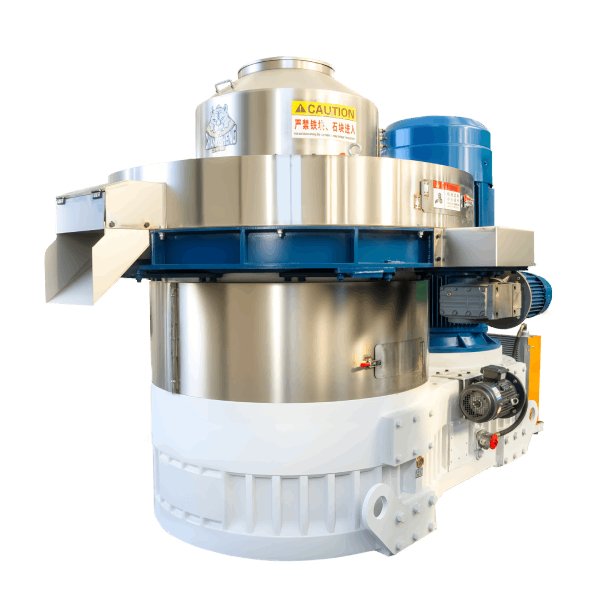
Scraper or deflector misaligned
The scraper or deflector directs material into the pressing zone. If it is misaligned, material is not presented to the roller correctly, and the roller runs against material that it cannot grip.
Material Causes
Material too wet
Wet material is slippery and compresses without being gripped. The roller skids over it, and the material packs in front of the roller. Wet material also glazes and packs the die holes, which reduces grip further.
Material too fine
Very fine material has low internal friction, so the roller cannot grip it. It behaves like a powder and slips rather than being drawn into the gap.
Material too oily or fatty
Oil or fat reduces friction between the roller and the material, so the roller slips. This is common with certain agricultural residues and with material that has been blended with an additive.
Material too dry and brittle
Very dry material crumbles instead of forming a coherent layer under the roller, so the roller cannot develop grip. The fines produced by the crumbling material add to the problem, but the root cause is that the material has no moisture to hold the layer together. This is less common than wet material but occurs with over-dried feedstock.
Feed rate wrong for the material
A feed rate that is too high for the die’s capacity leaves excess material in front of the roller, and the roller skids over it rather than drawing it in. A feed rate that is too low leaves the roller running against a thin layer that it cannot grip.
Roller Surface and Speed Relationship
Two factors decide whether the roller can grip at all, and both are set before the material reaches the die.
Roller surface form. Rollers are supplied with different surface forms — smooth, grooved or toothed — and each grips differently. A smooth roller relies on friction and suits materials that form a coherent layer easily. A grooved or toothed roller bites into the material and grips more positively, which suits fibrous, slippery or low-friction material. Using a smooth roller on slippery material, or a toothed roller on material that packs, produces slip that no gap adjustment will fix.
Surface condition. A roller surface that has polished or flat-spotted no longer grips as designed. Polishing is a sign that the roller has been slipping for some time, so a polished roller is both a result and a cause of further slip.
Roller-to-die speed relationship. The roller and the die run at different surface speeds, and the difference between them is what draws material into the gap. Where the roller surface speed relative to the die is outside the intended range, the roller does not draw material in reliably and slip becomes more likely. The correct relationship is set by the machine design — roller diameter, die diameter and drive arrangement — and it should be confirmed with the manufacturer rather than changed by adjusting the drive.
Diagnosing Slip: A Sequence
Work through these in order.
- Stop, isolate and lock out. Look at the roller with the mill safe.
- Establish which of the four situations applies. After a roller change, after a gap adjustment, after a material change, or on restart. This narrows the cause fastest.
- Check the roller turns freely by hand. A roller that is stiff or will not turn points to bearing or shaft wear.
- Check the roller is seated and locked. Confirm the mounting is set to the manufacturer’s procedure.
- Check the roller gap on every station. Confirm it is set to the procedure for the material.
- Check the roller surface. A polished band or flat spot indicates the roller has been slipping, not gripping.
- Check the material. Take a sample and check moisture, fines content and oil content against the material the mill ran when it performed well.
If the roller is mechanically sound and the gap is correct, the cause is material, surface form or feed rate.
Correcting Slip Without Damaging the Machine
What not to do:
- Do not increase feed rate to force the roller to grip. It increases load and does not correct slip.
- Do not run the mill with a roller that is not turning. The die and roller wear against each other, and the roller shaft and bearing are damaged.
- Do not adjust the roller gap by feel. Use the manufacturer’s procedure and set every station.
- Do not assume the roller is worn and replace it before checking seating, bearing and gap. A new roller on a wrong gap will slip the same way.
What to do:
- Stop, isolate and lock out.
- Inspect the roller bearing and shaft for wear, play and binding.
- Reset the roller gap to the manufacturer’s procedure on every station.
- Check the scraper or deflector alignment and condition.
- Correct the material condition — moisture, fines content or oil content — before restarting.
- Restart at reduced feed rate, warm the die, and raise feed gradually while watching load and roller rotation.
- If slip returns at normal feed rate with correct material and gap, review the roller surface form and the roller-to-die speed relationship with the manufacturer.
What Slip Does to the Die and Roller
Slip damages the parts involved, and the damage makes further slip more likely.
- The roller rubs instead of rolling, so the surface polishes or flat-spots. A polished roller grips less, so slip increases.
- The die wears unevenly where the slipping roller covers it, because that area is not receiving material at the same rate as the rest of the die. Uneven die wear changes the die’s behaviour on the next run.
- The roller shaft and bearing take load without rotation, which accelerates bearing and shaft wear.
- Material packed between roller and die raises temperature locally and can overheat the roller shaft and bearing if the mill is left running.
A roller that has been slipping for a long period may need replacement rather than re-gapping, because the surface no longer grips as designed.
When Slip Signals a Wrong Specification
Repeated slip with material that should be within the mill’s capability points to selection, not operation.
Signs that point to specification:
- The roller cannot be set to a gap that grips the material without over-loading the mill
- The roller surface wears quickly or polishes even with correct gap and material
- The roller surface form does not suit the material’s friction characteristics
- The feeder cannot deliver a feed rate the roller can grip
- The material’s moisture and fines content are within the range the supplier stated, but the roller still slips
- The same problem occurred with a previous material that should have been suitable
In these cases, the roller hardness and surface form, the die compression ratio, the feeder sizing or the drive specification should be reviewed against the material.
Spare Parts and Maintenance Planning
Slip accelerates wear on the parts involved, and planning for them reduces downtime.
- Rollers and roller shells. Keep the current specification and surface form recorded, and inspect after any slip event.
- Roller bearings and shafts. These wear faster with slip; bearing play and shaft condition should be checked at each maintenance interval.
- Scrapers and deflectors. Cheap to replace and often the cause of a feed distribution problem that looks like slip.
- Die. Slip causes uneven die wear; a die that has been run with a slipping roller may need inspection before re-use.
What to Confirm When Buying a Mill or Roller Set
Roller mounting and gap adjustment. Confirm the method is repeatable and accessible without dismantling the die chamber, and that it can be set on every station.
Roller surface form and hardness. Confirm the surface form — smooth, grooved or toothed — is matched to your material’s friction characteristics, and that the hardness suits its abrasiveness.
Roller-to-die speed relationship. Confirm the machine is designed so that the roller surface speed relative to the die draws your material in reliably.
Feeder sizing. Confirm the feeder can deliver a feed rate the roller can grip at the intended throughput.
Die and roller configuration. Confirm the die compression ratio and roller count suit the material, not only the rated output.
Wear parts. Confirm roller and bearing availability, lead time and cost, since slip increases consumption.
Acceptance testing. Confirm the mill is run with your material at the intended feed rate, and that roller rotation and load are observed and recorded.
If a roller is slipping on a material that should be suitable, send the material type, moisture range, roller and die specification and what changed before the slip, and the roller, die and feed setup can be reviewed against the material.
AUTHOR / COMPANY INFORMATION
Shandong Changsheng Machinery Co., Ltd. is a manufacturer of biomass pellet production equipment, including ring die pellet mills, complete pellet lines and related process equipment, serving overseas importers, EPC contractors, engineering companies and biomass fuel producers.